First-freeze playbook for plumbers
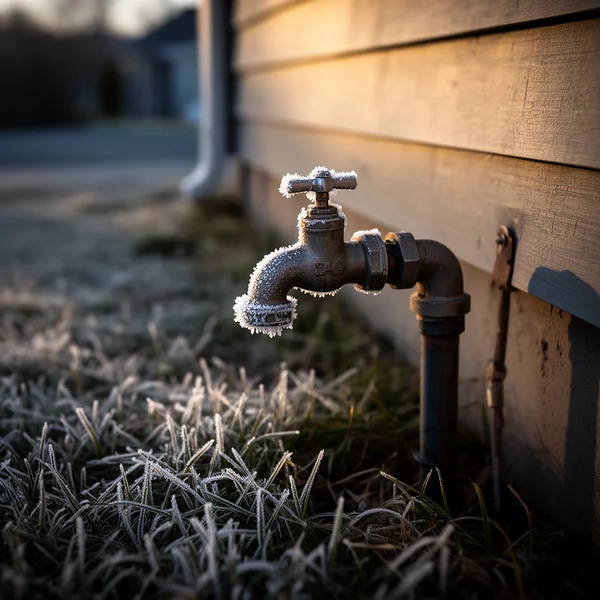
The first hard freeze of the season brings frozen and burst pipes, and those calls often come the next morning, when people wake up to no water or water on the floor. This playbook is the phone setup for a first freeze plumbing call surge: what to change the evening before, what to do the morning of and what to put back. For the words on the call itself, see the burst-pipe call script.
Three limits that shape the morning
- Burst pipes are emergencies by default; frozen pipes are not. The plumbing defaults under Agent → Emergencies are flooding, burst pipe, sewage backup, no hot water, water everywhere, gas smell and leaking ceiling. “My pipes froze and nothing comes out of the tap” may match none of them.
- Nothing is held back for emergencies, and the phone books one job per window. When no window is open, the agent takes the details and promises a callback.
- Minutes go faster. An emergency call with a safety instruction runs longer than a routine booking. On the trial, usage emails go out at 80% and 100% of its 150 minutes, and it pauses at 150; a paid plan has no per-minute charge, and a busy week does not pause it.
The evening before, in this order
1. Decide what a frozen pipe is
To handle frozen-pipe calls as emergencies, add the words your customers use, such as “frozen pipe”, “pipes froze” and “no water”, to the keyword list under Agent → Emergencies. A keyword in the caller’s first sentences switches on emergency mode, so each of those calls gets your emergency action and an alert. To book dry frozen pipes as routine calls and keep the alerts for water on the floor, leave the list alone. Either is defensible, as long as you chose before the calls came in.
2. Choose the emergency action for the night
Book and alert, the default, books the earliest open window and tells the caller a technician will call back within 15 minutes. Take details books nothing, so a person can sequence the morning’s trucks, but it makes the same promise, and so does a live transfer that does not connect. If nobody can commit to calling back overnight, live transfer to the on-call phone is the safer setting; the portal will not accept it without a transfer number. Emergency rules covers the three actions.
3. Check the safety step
Before it books a water emergency, the agent gives one damage-limiting instruction: the main water shutoff. You can add your own safety lines under the trade defaults in Agent → Emergencies, for example where the shutoff usually is in the homes you serve. The life-safety rule above them cannot be changed: a gas smell, smoke, fire or a CO alarm gets “leave the building and call 911” first (for a gas smell, the gas utility’s emergency line, from outside).
4. Add what freeze callers ask
The agent answers only from your business facts, so add what a freeze morning brings: whether you thaw frozen lines, your service-call fee, any early-morning or weekend rate, and what you do not handle. For a dry frozen pipe, a fact such as “For a frozen pipe with no leak, keep the faucet open, open the cabinet doors so warm air reaches the pipe, and never use an open flame to thaw it” follows the American Red Cross guidance on frozen pipes. Leave out arrival promises such as “we can be there in the next window”: the agent will not promise a time it has not booked, and a business fact should not say otherwise.
5. Start the day earlier
Under Agent → Hours, open earlier for the next few days, for example 6 AM instead of 7:30. No window can be reserved for emergencies, so the way to have morning windows for burst pipes is to start the day before the calls do. With two-hour windows, 6 AM to 6 PM is six windows (12 hours / 2), which at one job per window is six phone bookings that day, however many trucks you run. There is no drive-time buffer, so set the length under Agent → Booking → Arrival window to cover the drive. If the freeze lands on a day you usually mark closed, decide now whether to open it. Arrival windows and hours has the rest.
6. Put the on-call plumber on alerts
Under Team, turn emergency alerts on for tonight’s on-call plumber. Alerts go by email, and by text too if they have opted in to text alerts, so confirm the email reaches the phone by the bed.
7. Greeting, forward and test
Under Agent → Identity, try a line such as “Thanks for calling {company}, this is {agent}. If you have a frozen or burst pipe, I can take your details and get you on the schedule.” On the business phone, set all three conditional forwarding slots, not only no answer: the call you lose is the one that rings while your phone is in a crawlspace, and that is the unreachable slot. The forwarding guide has the codes. Then press Agent → Test call twice: once as a burst pipe, where the shutoff instruction should come before any booking, and once as a dry frozen pipe, which should go the way you chose in step 1.
The morning of
- Open the portal before the first window. Emergencies are flagged in the call log, and booked ones sit on the appointments board with a link back to the call.
- Read the two-line summaries for addresses and route in geographic order.
- Work the lead list next: callers who found no open window were promised a callback in your name.
- Watch for the 80% usage email. For illustration, if each emergency call runs 4 to 5 minutes, 150 trial minutes covers 30 to 37 of them (150 / 5 and 150 / 4).
- Fix any wrong outcome tag so the week’s report is right.
After the freeze
- Put your hours back under Agent → Hours.
- Remove the frozen-pipe keywords, or keep them if the week showed you want them.
- Reset the emergency action, the greeting and the alert toggles, then make one test call to hear the normal script.
Then follow up with the dry frozen-pipe callers, the natural pipe-insulation and heat-tape jobs. Those who booked are on the appointments board; the rest are on the lead list with one-tap callback. Call them rather than texting an offer, because follow-up texts are for the call they made, not for marketing. See the plumbing page for how DispatchLine works for a plumbing shop.
New field guides by email
Guides for home-service businesses on answering calls, call triage and after-hours coverage: the title, a short summary and a link for up to six of the newest guides on this site. At most one email every 30 days.