SMS Confirmations
A short text with your business name and arrival window, sent to every booked caller who agrees to one on the call.
A homeowner calls at 9:40 at night about a water heater leaking into the garage. Riley, your agent, reads the address back and asks if they would like a text with the details. They say yes, and Riley books them into tomorrow’s 8 to 10 AM window. By the time they put the phone down, the text is on their screen. That is the whole feature. The rest of this page is the detail that makes it safe on a real business line.
The short version: every booked job gets one plain confirmation text, sent to callers who said yes to one on the call. A window in writing cuts no-shows and the “I thought it was tomorrow” calls. A caller who says no gets the confirmation by voice. The agent never promises a text it cannot send.
What appointment confirmation texts say
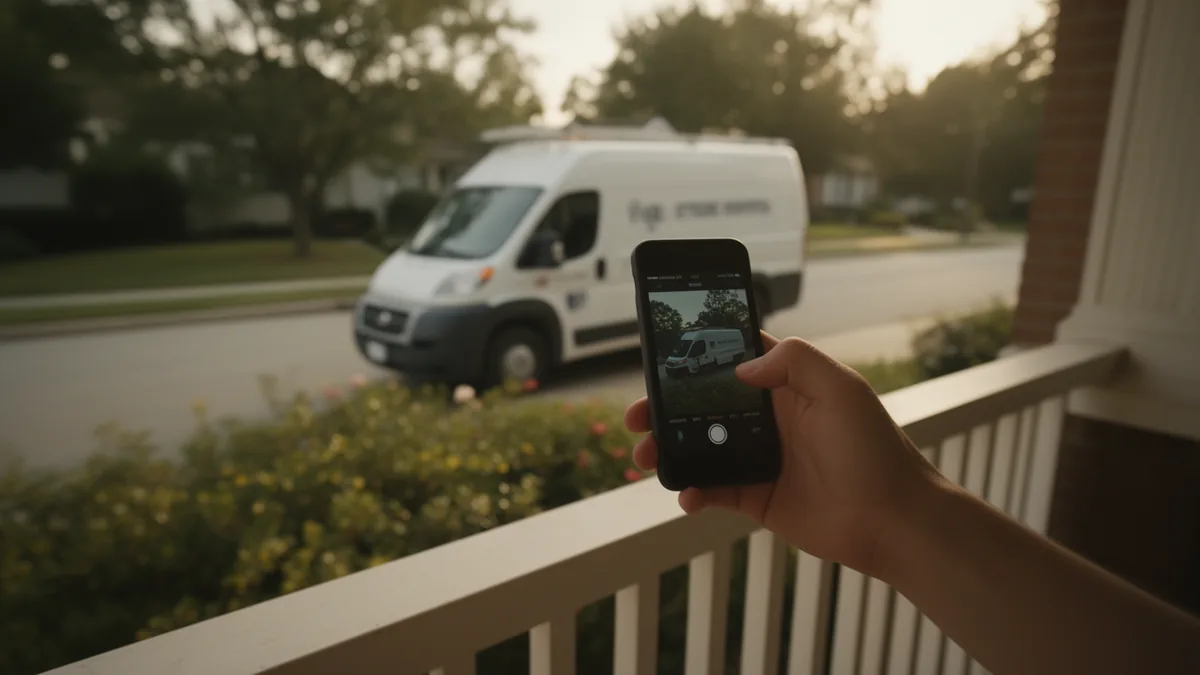
The message is short and carries only what the customer needs to be ready for the visit:
- Your business name, first, so the customer knows who is texting.
- The arrival window the agent booked, in writing: “Thu Mar 12, 8:00 AM”.
- How long the window runs: “A technician will arrive within the 120-minute window.”
- A STOP instruction on every message.
Miller Plumbing: you’re booked for Thu Mar 12, 8:00 AM. A technician will arrive within the 120-minute window. Reply STOP to opt out of texts.
The text does not come from your own number. It comes from one shared DispatchLine messaging number that we operate for every business on the platform, and the message names your business so there is no confusion about who booked the job. One shared number means we register it with the carriers once, on your behalf, and there is nothing for you to file. It also means the text arrives from a number the customer has not seen before, which is why your business name comes first.
How a confirmation text gets sent, step by step
- Riley finds an open arrival window on your board, following the hours and windows you set up in scheduling.
- Before it books that window, it asks the caller, in plain words they can refuse, whether they would like a text confirmation, at the number they are calling from or another they give.
- The answer is stored with the call record: the number, the time, and what the caller said. A “no” is stored too, and no text goes to that number.
- The confirmation goes out from the shared messaging number as soon as the booking is on the board.
- If you switch confirmation texts off, or the caller says no, the agent confirms the window by voice, reads back the address and the caller’s phone number, and never mentions a text.
- You get the booking alert by email either way. The full call flow shows where this step sits.
What you control
Texting is a switch in the portal, and it is on by default. You decide whether it stays on. You also control the pieces the text is built from: the business name it opens with and the arrival windows it quotes, because those come from the same settings the agent books against. See arrival windows and hours for how those windows are defined.
Owner alerts are a separate decision. Today the booking alert and any emergency alert reach you by email. If you would rather get them as a text, that is an opt-in for you and the team members you name, and it needs its own program approval before it goes live.
What the text will never contain
- No prices. The agent only quotes fees you wrote in the portal, and even those stay in the call, not in the text.
- No marketing. No promotions, no review requests, no “book your next service” nudges. The number is for confirmations, the follow-ups you send to callers, and alerts you opt into.
- No card or payment request. The agent never takes a card number on a call and never asks for one by text.
- No text to a caller who said no, and none at all if you switch confirmation texts off.
- No text from your own number. Your line stays yours. Replies come to the shared messaging number.
Customer texts go only to numbers that called you or booked with you, which keeps every message transactional, which is the line the carriers draw.
Where it shows up in the portal
Open any call and you see the booking, the transcript, and a short summary. The transcript shows whether the caller agreed to a text. The appointment sits on your board with the same window the customer received, so the two can never disagree. While recording is on (the default), the recording of the call is on the same screen; recordings and transcripts explains what is captured.
Four trades, one text
- Plumbing: a burst-pipe caller at 2 AM gets the morning window in writing, so they are not calling back at 6 AM to ask when you are coming.
- HVAC: in a heat wave, a “no cooling” booking with the address read back on the call catches the wrong unit number before the truck is across town.
- Electrical: a tripped-breaker call books a window, and the customer has the window and your business name in writing if the power comes back on its own.
- Roofing: a homeowner who asks for an inspection or a repair estimate books a window, and has the date, the window and your business name in writing before the estimator arrives.
Status today, and the compliance behind it
Business texting needs carrier approval of the sending number. The shared messaging number is toll-free, so that approval is toll-free verification, not the A2P 10DLC registration that governs local numbers. We filed it once for the whole platform and it is approved, so texting works on every account from day one.
Any reply of STOP blocks further texts to that number automatically. Because one number serves the whole platform, the block covers every DispatchLine business, not only yours. A reply of HELP gets a short message that says who is texting and how to reach support. The full wording and the consent rules are in our SMS terms, and SMS compliance for contractors walks through what the carriers require and why.
Confirmation texts are included on every plan; pricing lists what each plan covers. Connections that would carry the same booking into a calendar or field software are in development or planned; integrations has the honest status of each.
FAQ
Does the confirmation text come from my business number?
No. It comes from one shared DispatchLine messaging number that we register with the carriers, and the message opens with your business name. Your own line is not used for texting, so nothing changes on your phone or your plan.
When will my customers start getting texts?
From the day your line goes live. The carrier approval for the shared messaging number, toll-free verification, is already in place, so there is nothing to wait for. If you switch confirmation texts off, the agent confirms every booking by voice and never mentions a text.
Does the agent ask before texting a caller?
Yes. It asks in plain words the caller can refuse, and it stores the answer with the call record. A caller who says no gets no text, and you can see that answer on the call in the portal.
What happens if a customer replies STOP?
Further texts to that number stop automatically. Because the messaging number is shared across the platform, the block applies to every DispatchLine business. A reply of HELP returns a short message identifying the sender and how to reach support.
Can I get the booking as a text instead of an email?
Today booking and emergency alerts to you go by email. Owner texts are optional, need your opt-in, and need a separate program approval before they go live. Once that is in place, you and the team members you name can receive them.
Will the text include the price or a special offer?
No. The text carries your business name, the arrival window and a STOP instruction. No prices, no promotions, no review requests, and never a card or payment request.
Guides that go deeper
- SMS compliance: what we send and why it's allowedTransactional texts, the shared sending number, carrier registration, STOP handling, and what you should never ask the agent to text.
New field guides by email
Guides for home-service businesses on answering calls, call triage and after-hours coverage: the title, a short summary and a link for up to six of the newest guides on this site. At most one email every 30 days.