What actually happens when your phone rings.
No magic, no black box. Here is the whole path from a ring to a booked job, what you see at each step, and what the agent will not do.
3 days free with 150 trial minutes, and nothing is charged if you cancel before day 4. Then from $149 a month.
Hear it first: call the demo line, (973) 791-7808
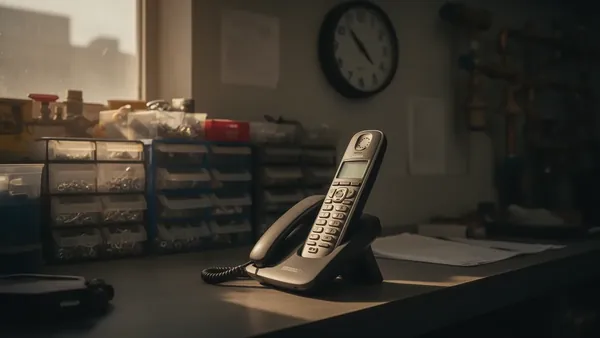
The call is forwarded
Your number stays yours. Your carrier forwards to DispatchLine when you don't pick up, or always. A common starting point is "after 3 rings, and after hours".
The agent answers
"This call is answered by an automated assistant and may be recorded. Thanks for calling Miller Plumbing, this is Riley." Every call opens with the automated-assistant notice, plus the recording notice while recording is on, then your greeting, your name and your voice choice.

It triages
Your questions, in order: address, is it urgent, what's happening. Emergency keywords you set (burst pipe, no heat, gas smell) switch it into emergency mode, and smoke, fire or a CO alarm gets "leave the building and call 911" before anything else (for a gas smell, the gas utility's emergency line, from outside).

It books
It offers open arrival windows from your business hours and your DispatchLine board, gives the caller two, confirms the address and phone by reading them back, and creates the appointment on the board.
It only knows what you told it.
The agent answers from your business facts: service fee, service area, whether you do water heaters, whether you charge extra on Sundays. Anything not on the list gets "I'll have the office confirm that", never a guess.
- Confirms phone number and address by reading them back
- Gives one safety instruction first when there's danger: shutoff, breaker, or leave the building
- Hangs up on robocalls and telemarketers when you turn spam screening on
- Says it's an automated assistant at the start of every call, tells the truth whenever asked if it's a person, and offers a callback from one
What it won't do, and what it hands to a person.
It won't
- Quote a price you haven't given it
- Diagnose the problem or promise a fix
- Promise a time it hasn't booked on your board
- Claim to be a person
- Take a payment or a card number
- Text a caller who did not agree to a text on the call
It hands to a person
- Anything outside the facts you wrote: "I'll have the office confirm that"
- Complaints, disputes and billing questions, as a callback on your lead list
- Callers who ask for a human
- Emergencies, by live transfer to your on-call number if you choose that, or by booking the slot and alerting your tech
- Danger to life: leave the building and call 911 comes first, then a callback
Everything lands in the portal within a minute.
A two-line summary, the outcome, and whether it was an emergency or after hours, plus the recording and full transcript while recording is on (the default). Booked jobs show up on your board. Emergencies alert your on-call tech.
- Calls that didn't book go to your lead list with a one-tap callback
- Monday email: calls answered, jobs booked, estimated value booked
- Change the greeting, hours or emergency rules yourself, any time
How an AI receptionist works, from the forward to the board
The steps above show the shape of a call. This section goes one layer down, to what is actually happening at each step.
Forwarding: conditional, unconditional, and a schedule
Your carrier offers two kinds of forwarding. Conditional forwarding sends a call to DispatchLine only when you do not answer, usually after a set number of rings. Unconditional forwarding sends every call straight through without ringing your phone. A common starting point is conditional during the day and unconditional at close, so nothing rings out once you have shut the office.
On most carriers, forwarding is turned on and off with a short code dialed from the handset, and the code differs by carrier and plan. That is why we do not print a table of codes here; the guide on forwarding your business line covers the common cases. If your office runs on a VoIP system, its time-of-day rules can do the switching so nobody has to remember at 6 PM.
Then make a test call. Dial your own business number from a cell phone, let it ring past the threshold you set, and listen for your greeting. Hang up and check the portal for the call and its two-line summary. Do that once forwarding is switched on, so what you hear is the exact path a customer takes.
What is actually answering
The agent is three things stacked on a phone line. First, a speech model that listens and talks in real time. Second, a script written for your trade: the greeting, the order of the questions, the emergency list, and what to say when it does not know. Third, a small set of tools the script is allowed to use during the call: check availability on your board, book an appointment into a window, transfer the call to a number you chose, and take a message. It cannot look up a price, invent a step, or promise anything the tools did not return.
Why it answers only from your business facts
A speech model on its own will answer any question with confidence, which is exactly what you do not want on your line. So the script binds it to the question-and-answer list you wrote in the portal: service fee, service area, hours, the Sunday surcharge, whether you do water heaters. Anything not on that list gets "I'll have the office confirm that" and goes to your lead list as a callback. A guess about your price costs you the job or the margin; a callback costs you two minutes. The guide on writing good business facts shows which questions to write first.
How a call becomes an emergency
Triage starts from your words, not the model's judgment. You give the agent a list of words and phrases for your trade, such as "burst pipe" or "no heat", and when a caller says one of them the script switches into emergency mode. In that mode it asks the safety question first, then does whatever you chose in your emergency rules: book the emergency slot and alert the on-call tech, transfer the call live to a number and stay on the line until pickup, or take details and promise a callback. Gas smell, smoke, fire and a CO alarm sit above your list: those always get "leave the building" before anything else, with 911 for smoke, fire or a CO alarm and the gas utility's emergency line, from outside, for a gas smell.
What a booking is, technically
When the caller wants a visit, the agent calls its availability tool, which reads your board and returns the open arrival windows inside your hours and service area. It offers two. The caller picks one. The agent then reads back the address and the phone number and waits for a yes. Only then does it call the booking tool, which writes the appointment onto your board with the caller's details. The confirmation to you goes by email. The caller also gets a text confirmation if they agreed to one on the call, sent from a shared DispatchLine messaging number that names your business.
The test call, and why forwarding stays locked until you make it
When your agent is built, the portal offers one button: Test call. Press it and the agent phones you. Talk to it the way a customer would, ask for a booking, then use one of your emergency words and hear what it says. Until that call is done, your DispatchLine number does not answer incoming calls and the forwarding steps stay locked. That is deliberate. You hear it work before a customer does, and it is not possible to forward a live business line to something you have never listened to. When the call ends the number goes live, the forwarding steps unlock, and you decide whether to send it after-hours calls, overflow calls, or everything.
Minutes, and what you see a minute later
Minutes are counted on live calls the agent answers. The free trial includes 150 minutes and runs 3 days from the day you start it. A screened robocall counts as one minute, and a call can run up to 8 minutes, on the trial and on every plan. We email you at about 80% of the trial minutes and again when they are used up. If they run out before the trial ends, the agent answers with a short message saying the line is paused, rather than running up a bill, and it answers again when your paid plan starts on day 4. Within about a minute of hang-up, the two-line summary is in the portal with the outcome, plus the recording and transcript while recording is on (the default), and a booked job is on the board.
The free trial, then a plan you choose
The trial runs 3 days from the day you start it and includes 150 minutes. Anyone running a US home-services business can sign up now, with no application and no approval step in the way. You put a card on file at checkout and nothing is charged until day 4. Cancel from your billing page before then and you are not charged at all.
After the trial you move onto one of three monthly plans, sized by how big your shop is. There is no setup fee and no contract, it is month to month, and the first-month guarantee applies. Pricing has every plan and what it costs, and the plans and minutes guide has the arithmetic.
FAQ
Do I have to change my business number?
No. Your number stays with your carrier. You forward it to DispatchLine, conditionally or unconditionally, and you can turn the forward off at any time from your own handset.
What if my carrier does not support conditional forwarding?
Use unconditional forwarding on a schedule instead: turn it on at close and off at open. If your office phone is a VoIP system, its time-of-day rules can make that switch automatically.
Can the agent answer a question I did not write down?
No, by design. It answers only from the business facts in your portal. Anything else gets "I'll have the office confirm that" and a callback on your lead list.
Do I have to apply or wait to be approved?
No. Sign up, spend about 15 minutes in the setup wizard and start the trial with a card on file. There is no application and no approval step.
How are minutes counted during the free trial?
Live minutes on calls the agent answers. A screened robocall counts as one minute, and a call can run up to 8 minutes. The trial includes 150 minutes across 3 days. If they run out, the agent tells callers the line is paused rather than running up a bill.
Does the caller get a text confirmation?
Yes, text confirmations are included, and they go only to callers who agreed to one on the call. They come from a shared DispatchLine messaging number that names your business, not a separate number for each business. The agent also reads the window, address and phone number back on the call, and your copy of the booking arrives by email.
What happens at the end of the 3 days?
On day 4 the plan you chose is charged to the card on file and the service continues month to month. Cancel from your billing page any time before then and nothing is charged; canceling ends the trial at once and the agent stops answering. If you do continue, the first-month guarantee applies.
Sign up, hear it work, then forward your line.
3 days free with 150 trial minutes, up to 8 minutes on any single call. Every feature is included. Your card is charged for the first time on day 4 unless you cancel before then. You can cancel before then from your billing page, and when the trial minutes run out the agent answers with a short message saying the line is paused rather than running up a bill. After the trial, $149, $299 or $549 a month, by how many trucks you run. No per-minute charge, no minute bundle to run out of, no setup fee. Taxes where applicable. It is month to month with no contract, and you cancel renewal any month from your billing page.
Sign up and set up
About 15 minutes in the setup wizard: company details, hours, service areas, emergency rules and the business facts the agent answers from. Then you start the trial with a card on file. There is no application and no approval step.
We build your agent and give it a local number
We build the agent from what you wrote and buy a local number for your account automatically. Text confirmations are included. Booking and urgent alerts to you go by email, and you can change the greeting, hours and emergency rules yourself at any time.
You make a test call and hear it yourself
Press Test call in the portal and the agent phones you. Put a booking and an emergency through it and listen to how it handles them. Change the greeting, hours or emergency rules yourself in the portal, and send questions by email, or start an optional manual WhatsApp chat. A person replies within one business day.
Forwarding unlocks and you forward your line
Your number does not answer incoming calls until that test call is done, so you hear it work before a customer does. Once it is done the forwarding steps unlock, and you point your business line at DispatchLine after hours, on overflow, or always.
New field guides by email
Guides for home-service businesses on answering calls, call triage and after-hours coverage: the title, a short summary and a link for up to six of the newest guides on this site. At most one email every 30 days.