Verizon Call Forwarding: *72, *71 and *73 Codes
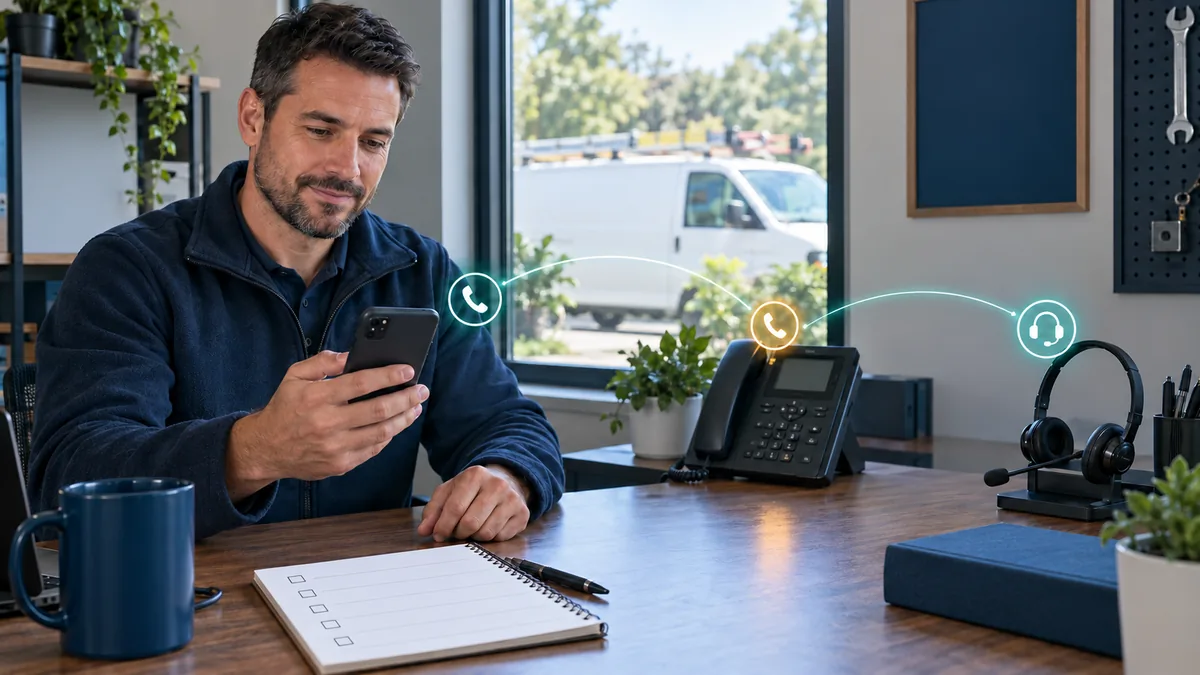
On a Verizon mobile phone, dial *72 followed by the 10-digit number to forward every call, *71 followed by the number to forward only the calls you don’t answer, and *73 to turn forwarding off. Verizon charges no monthly fee for forwarding on most plans, but if your plan doesn’t include unlimited minutes, forwarded calls are billed like calls you answered. The codes have to be dialed from the phone itself while it is on Verizon’s network.
Verizon call forwarding codes at a glance
| Dial | What it does | Does your phone ring first? |
|---|---|---|
| *72 + 10-digit number | Forwards all calls immediately | No |
| *71 + 10-digit number | Forwards calls you don’t answer, or can’t take because you’re on another call | Yes, for several rings |
| *73 | Stops forwarding | Not applicable |
Those are the mobile codes on Verizon’s star and pound codes page. Traditional Verizon business landlines also use *72 and *73, with a different setup routine covered further down.
How to forward calls on Verizon, step by step
- Pick the destination. Verizon requires an active, voice-capable line in the US, entered as all 10 digits with the area code. International numbers are not allowed.
- Open the keypad in your phone app.
- Type *72 and the number as one string, for example *725125550147 to forward to 512-555-0147.
- Press Call. You should hear a confirmation tone or message; Verizon notes it can sound like a busy signal. Hang up.
- Test it. Call your Verizon number from another phone. The destination should ring and your phone should stay quiet.
Do this while you are on Verizon’s network. Verizon says forwarding cannot be set up while you are roaming or traveling abroad, although forwarding you set up before leaving keeps working. Text messages are not forwarded, so a customer who texts your cell still reaches only your cell. Verizon’s pages differ on whether My Verizon can switch forwarding on for you; the dial codes always work from the phone.
Forward only missed calls with *71
For an owner who answers between jobs, *71 is usually the better code. Your phone rings first. If you are on another call or let it ring, Verizon sends the call to the number you set. That is how you pass missed calls to an office line, an answering service or an AI receptionist; DispatchLine, for instance, answers forwarded calls around the clock and sends you a two-line summary of each one, plus the recording and transcript while call recording is on (the default), as described on the 24/7 call answering page.
Know two side effects before you rely on it:
- Your voicemail stops catching those calls. Carrier voicemail works as a no-answer forward to Verizon’s mailbox. Point unanswered calls somewhere else and that destination takes them instead.
- The edges are not documented. Verizon does not publish how many rings come before the forward, or whether *71 also catches calls when your phone is off or out of coverage. Test both: let one call ring out, then put the phone in airplane mode and call again.
The glossary entry on conditional forwarding explains the busy, no-answer and unreachable conditions, and the no-answer forwarding guide shows how other carriers handle each one.
Why a Verizon iPhone may have no forwarding switch
Apple’s iPhone guide puts the switch at Settings > Apps > Phone > Call Forwarding, but says that option is for cellular service on a GSM network and tells customers on CDMA networks to contact their carrier. Verizon’s answer for its customers is the dial codes. So if the Call Forwarding row is missing on your Verizon iPhone, nothing is broken: open the keypad and use *72 or *71 exactly as above.
Apple adds a warning worth repeating. iPhone blocks links in messages, email and web pages that ask you to turn on call forwarding, because scammers use them. The same trick works over the phone: someone posing as your carrier or bank asks you to dial a code and a number “to verify the account,” and your calls start ringing their phone. Never dial a forwarding code that someone else hands you. The iPhone call forwarding guide covers the settings on other carriers.
Verizon business landlines and older plans
On a traditional Verizon business phone line, the routine is longer and the confirmation is different:
- Lift the receiver and listen for dial tone.
- Press *72, or dial 1172 on a rotary or pulse phone, and wait for the tone.
- Dial the number you want calls sent to. That number rings.
- When someone answers it, forwarding is active. If it is busy or nobody answers, hang up and repeat within two minutes.
- Two short tones tell you forwarding is on. After that you hear one short reminder tone each time a call is forwarded.
- To cancel, press *73, or dial 1173 on a rotary phone.
Forwarding a landline to a long-distance number brings long-distance charges on forwarded calls. Busy Line/Don’t Answer forwarding, the landline cousin of *71, is a separate feature that sends calls on after a preset number of rings. Verizon’s business calling features page lists no dial code for it, so you order or change it through Verizon. Select Call Forwarding sends only calls from a preset list, limited to 6 or 12 numbers depending on region.
Older wireless plans are the other catch. Verizon says a forwarding fee may apply on certain older plans, and airtime is charged on forwarded calls, even ones sent to a landline, unless your minutes are unlimited. Fios Digital Voice and One Talk lines have their own feature settings, so use that service’s guide rather than these codes. For other carriers and phone systems, see how to forward your business line.
When Verizon forwarding doesn’t work
| Symptom | Likely cause | Fix |
|---|---|---|
| Callers hear a busy tone | Wrong number, or an extra key pressed during setup (Verizon’s own first suspect) | Dial *73, then set it up again slowly |
| Your phone still rings on every call | You used *71, which rings you first | Dial *73, then *72 and the number |
| No confirmation, nothing forwards | You were roaming or outside Verizon coverage | Set it up again on Verizon’s network |
| The setup call fails | Destination is international, missing the area code, or not a voice line | Use a 10-digit US voice number |
| Missed calls no longer reach voicemail after you turned forwarding off | The no-answer setting did not clear | Let a test call ring out; if voicemail still does not answer, call Verizon at 800-922-0204 |
| You need to change it but don’t have the phone | Verizon says forwarding can’t be managed without the phone | Call Verizon customer service at 800-922-0204 |
After any change, make one test call from a phone that is not yours. It takes thirty seconds and it is the only way to know what a customer hears. For every way to switch it off, including landlines, see undoing call forwarding on Verizon.
FAQ
How do I turn off call forwarding on Verizon?
Dial *73 from the phone that is forwarding and press Call. You should hear a confirmation tone that can sound like a busy signal. On a traditional business landline, press *73 or dial 1173 on a rotary phone.
Does Verizon charge for call forwarding?
Verizon charges no monthly fee for forwarding on most plans, though a fee may apply on certain older plans. If your plan does not include unlimited minutes, every forwarded call is billed as airtime, even when it goes to a landline.
What does *71 do on Verizon?
Dialing *71 plus a 10-digit number forwards only the calls you don’t answer, or can’t answer because you are on another call. Your phone rings first, so you still get the chance to pick up. Unanswered calls then go to the number you set instead of your voicemail.
Can I forward my Verizon calls if I don’t have my phone?
Verizon’s FAQ says forwarding can’t be managed without the mobile phone and points you to customer service at 800-922-0204. If you know you will be away from the phone, set up *72 or *71 before you go.
Does Verizon call forwarding forward text messages?
No. Only calls are forwarded. Texts keep arriving on the original phone, so tell customers which number to text if the forwarded line is your main business number.
New field guides by email
Guides for home-service businesses on answering calls, call triage and after-hours coverage: the title, a short summary and a link for up to six of the newest guides on this site. At most one email every 30 days.