How to Forward Calls on iPhone, and When You Can’t
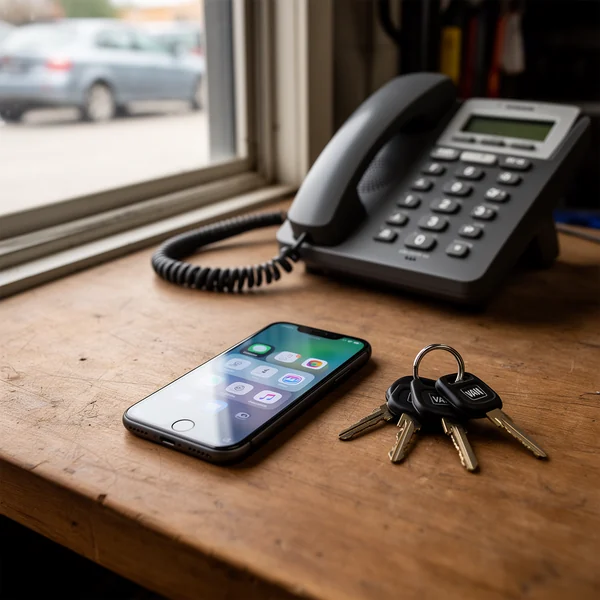
To forward calls on an iPhone, open Settings, tap Apps, then Phone, then Call Forwarding. Turn the switch on, tap Forward To and enter the number. That switch sends every call away, and on some carriers it isn’t there at all. Forwarding only the calls you miss takes a short code from your carrier, which is the part most guides leave out.
How do I forward calls on iPhone? The Settings path
These are the steps in Apple’s iPhone User Guide for current iOS versions:
- Open the Settings app.
- Tap Apps, then tap Phone.
- Tap Call Forwarding, then turn on Call Forwarding.
- If your iPhone has Dual SIM, choose the line you want to forward.
- Tap Forward To, enter the number, then tap Back.
Once it’s on, the iPhone forwards all calls, and a Call Forwarding icon appears in the status bar. That icon is your reminder that the phone in your pocket won’t ring. If your screen doesn’t match these steps, type “Call Forwarding” into the search field at the top of Settings.
Apple adds one condition that catches people out: you must be in range of the cellular network when you set it, or calls won’t be forwarded. Set it up in the truck with signal, not from a basement crawlspace.
What the switch can’t do: forward only missed calls
The iPhone switch has one mode, forward everything. It has no setting for busy, unanswered or out-of-signal calls. Apple’s guide says that if your carrier supports conditional forwarding, you get the setup from the carrier. For a business owner that’s usually the setting you want: your phone rings first, and only the calls you can’t take go to the office, a partner or an answering line.
Type these on the iPhone keypad and press Call. Use the full number with its area code.
| What you want | AT&T and T-Mobile | Verizon |
|---|---|---|
| Forward when you don’t answer | **61*number# | *71 + number |
| Forward when you’re on another call | **67*number# | Included in *71 |
| Forward when the phone is off or has no signal | **62*number# | Not documented by Verizon |
| Forward everything | The Settings switch, or **21*number# | *72 + number |
| Stop forwarding | Switch off, or ##002# to clear all | *73 |
T-Mobile’s short code list writes the number with a leading 1, as in **61*15125550147#, and lets you choose how long the phone rings before the call moves on. AT&T doesn’t print a full code list, but its own troubleshooting page tells customers to press #21# to switch forwarding off, and the other codes come from the 3GPP standard (TS 22.030) that GSM-family networks follow. On Verizon, *71 rings your phone first, and Verizon says it passes the call on when you’re busy or don’t answer after three or four rings.
No Call Forwarding row? Your carrier is the reason
Apple says the Settings switch is for cellular service on a GSM network, and tells customers on CDMA networks to contact their carrier. In practice US iPhones fall into four groups:
- AT&T and T-Mobile. Both run GSM-family networks, so the switch is the normal route, and the codes in the table work as a backup.
- Verizon. Verizon’s method is dial codes: *72 plus the number to forward everything, *71 for missed calls, *73 to stop. If the row is missing on a Verizon iPhone, nothing is broken. The Verizon call forwarding guide covers what each code sounds like.
- Former UScellular lines. T-Mobile’s support pages say UScellular accounts are being moved to the T-Mobile network. Once your line has moved, follow T-Mobile’s instructions; until then, ask the carrier which applies.
- Dual SIM. Each line forwards on its own. Forward the personal line by mistake and the business number still rings you.
A scam warning Apple built into iOS
Recent versions of iOS alert you and block links in messages, email, web pages or apps that ask you to turn on call forwarding, because scammers use them. Apple says to ignore the alert if you didn’t expect it. The phone-call version of the trick is a caller posing as your carrier who asks you to dial a code to verify your account. The code forwards your calls, including your customers’ calls, to them. If a forwarding code didn’t come from your own notes or your carrier’s website, don’t dial it.
Test it before you trust it with a business line
Forwarding fails quietly. You see the icon, assume it works, and a customer hears a busy tone. Ten minutes with a second phone settles it:
- Forward-all test. With the switch on, call your number from another phone. The destination should ring and your iPhone should stay silent.
- No-answer test. With missed-call forwarding set by code, call and let it ring. Count the rings before the destination picks up. If that’s too long for a customer to wait, shorten the delay where your carrier allows it.
- Busy test. Stay on one call and have someone else call you. The second call should land at the destination.
- Dead-zone test. Turn on Airplane Mode and call again. This is the case that matters on a job in a basement or a steel building.
- Voicemail check. AT&T says call forwarding overrides your wireless voicemail. Make sure the destination has its own greeting or someone to answer.
- Destination check. If the destination is busy, AT&T says your caller hears a busy signal. Forwarding to a single office line that’s often in use recreates the problem you were solving.
Tests 2 and 4 are where an answering line earns its keep. DispatchLine, for example, answers calls forwarded to it at any hour and sends you a two-line summary of each one, plus the recording and transcript while call recording is on (the default); the how it works page shows the forwarding setup. For desk phones and landlines, see how to forward your business line. When you want your calls back, the steps to turn off call forwarding on iPhone include the codes the switch doesn’t clear.
FAQ
Why don’t I see Call Forwarding in my iPhone settings?
Apple offers the switch for service on GSM networks and tells other customers to get forwarding from their carrier. Verizon iPhones use dial codes instead: *72 plus the number to forward all calls, *71 for missed calls, *73 to stop. On AT&T or T-Mobile, look under Settings > Apps > Phone.
How do I know if call forwarding is on?
When you turn it on in Settings, a Call Forwarding icon shows in the status bar. On AT&T and T-Mobile you can also dial *#21# to ask the network whether forward-all is active, or *#61# for unanswered-call forwarding. A test call from another phone is the only proof of what a customer hears.
Does call forwarding on iPhone cost extra?
Apple doesn’t charge for it; your carrier’s plan decides. Verizon charges no monthly fee on most plans but bills forwarded calls as airtime if your minutes aren’t unlimited. AT&T bills forwarded calls for their length, may add long-distance or roaming charges, and on some plans doesn’t count them against included minutes.
Can I forward iPhone calls to an international number?
Not on the three national carriers. Verizon, AT&T and T-Mobile all say forwarding to international numbers isn’t allowed. Use a US number entered with its area code.
Can I turn on forwarding if I left my iPhone at home?
Usually not. AT&T and Verizon both say forwarding is managed from the phone itself, and AT&T says it can’t be managed online. Verizon customers can call customer service at 800-922-0204; everyone else should set missed-call forwarding before leaving the phone behind.
New field guides by email
Guides for home-service businesses on answering calls, call triage and after-hours coverage: the title, a short summary and a link for up to six of the newest guides on this site. At most one email every 30 days.